Downloading VMware Workstation Pro
Instructions for downloading VMware Workstation Pro
Broadcom Account
Registration
- Go to the Broadcom Support Portal
- Complete the registration form with your information
Login to the system
- After registration, log in to the User Dashboard
- Ensure you have access to all resources
Find Product
Selecting product category
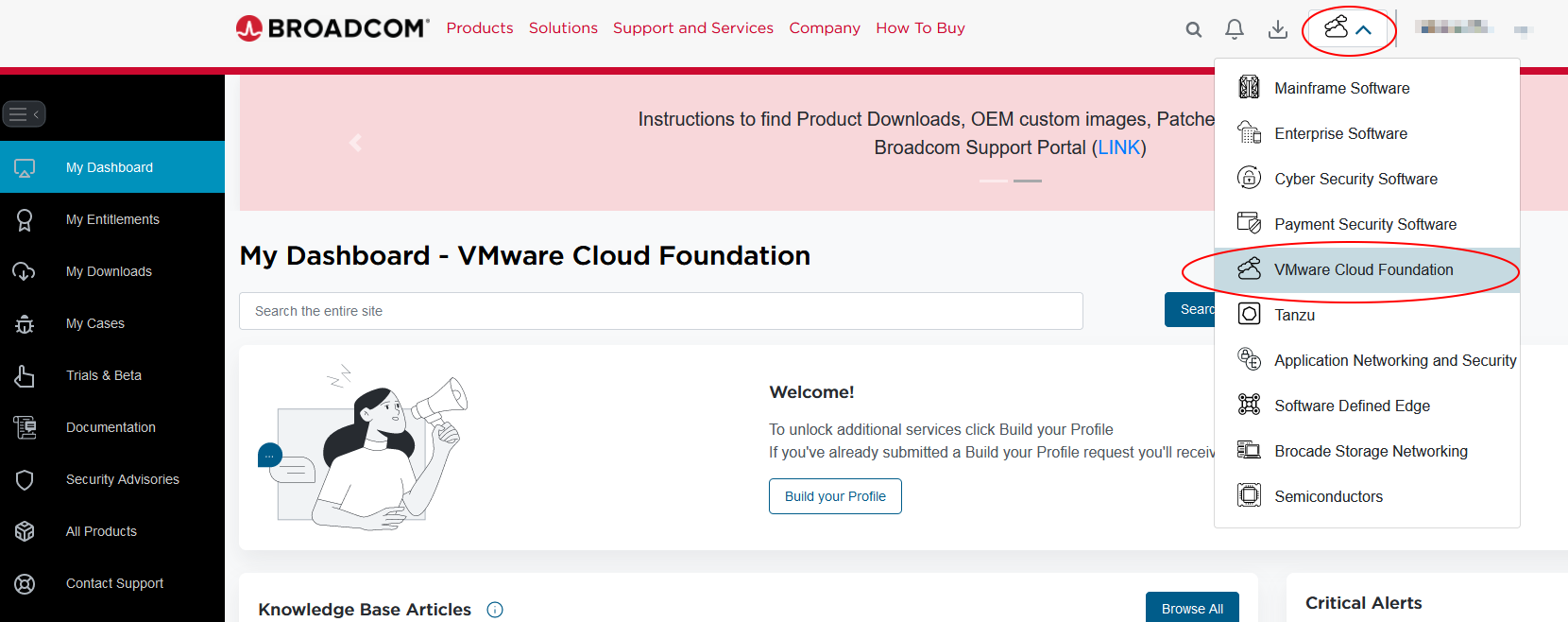 On the main page, select the icon next to your account name and choose VMware Cloud Foundation from the dropdown list
Searching for Workstation
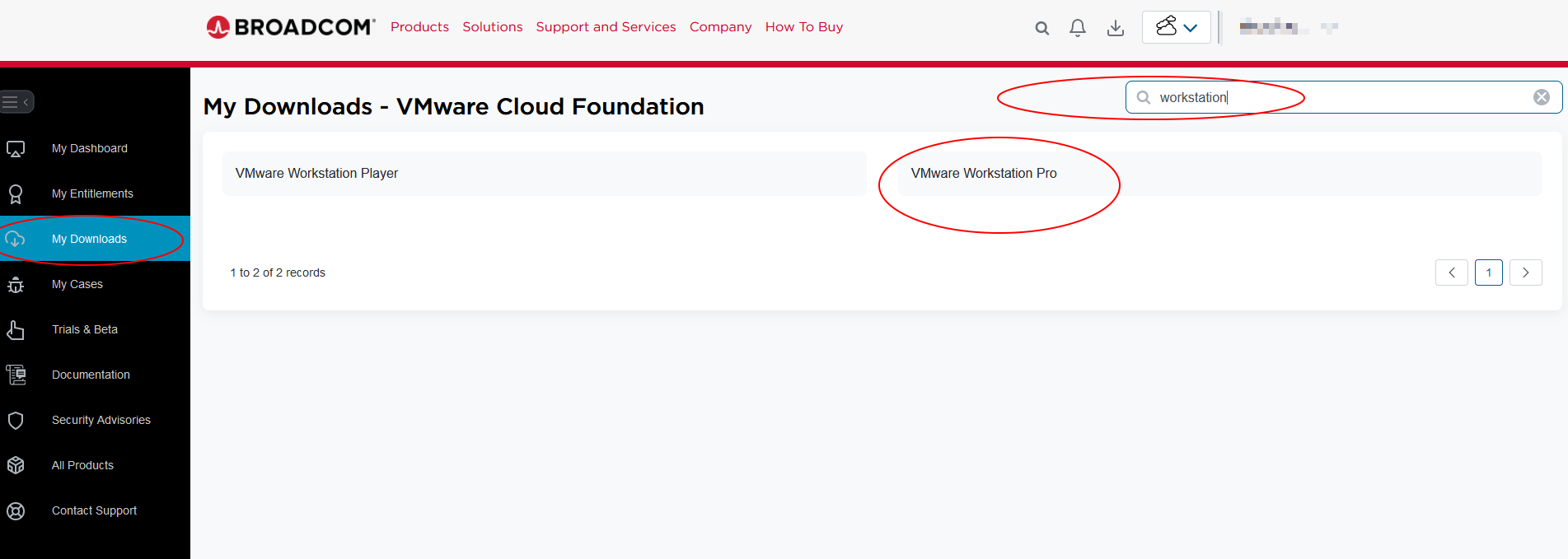 Go to the “My Downloads” tab and search for “Workstation” in the search field
Select Version
Selecting the appropriate version
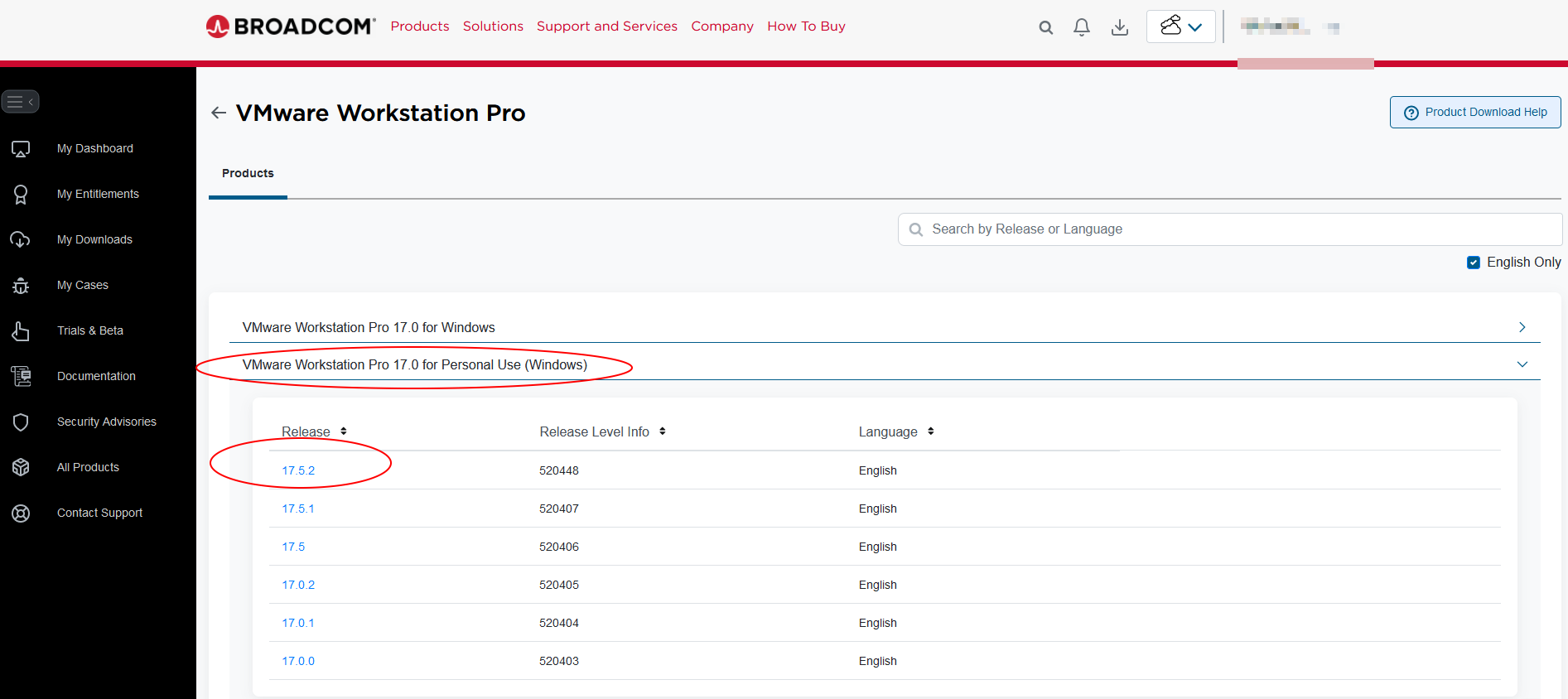 Choose the version appropriate for your operating system (Windows, Linux, or macOS)
Download
Accepting the terms and downloading
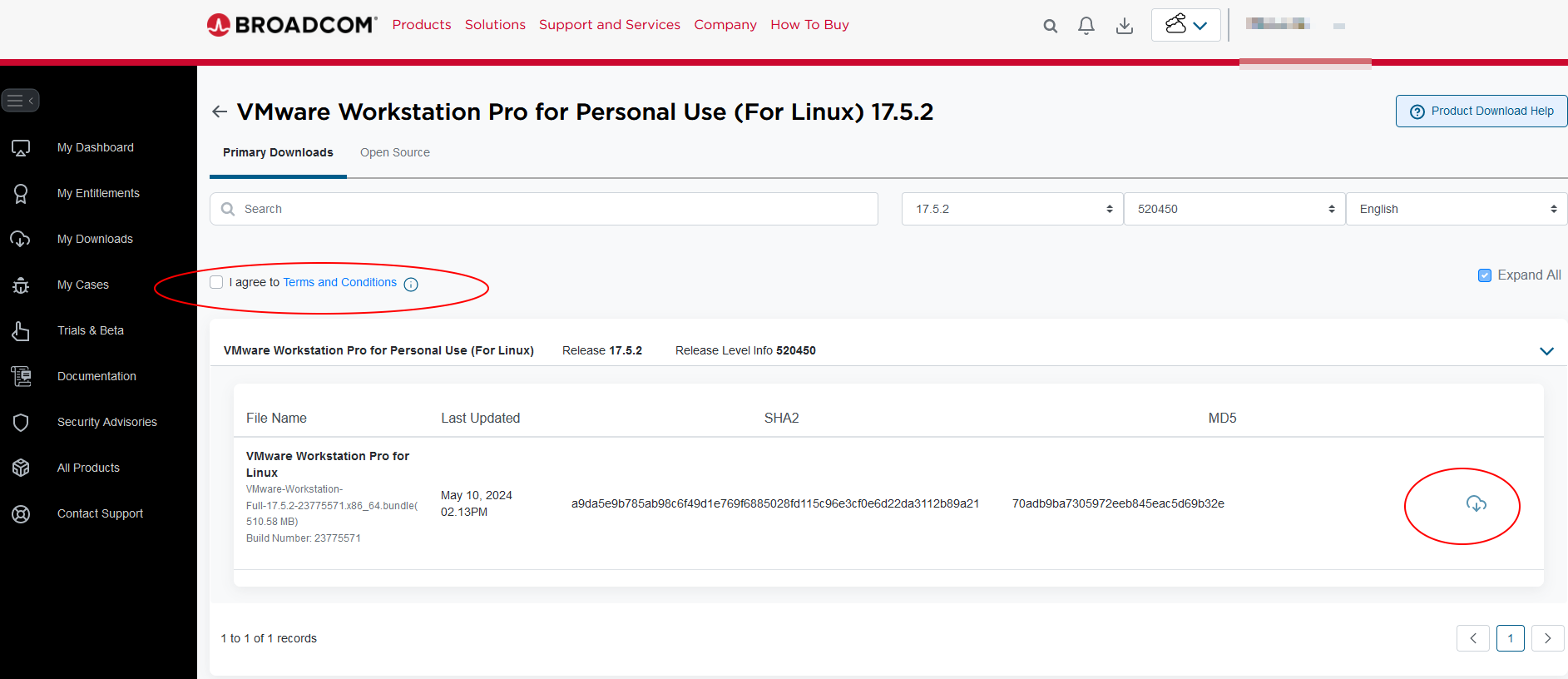 Accept the terms and conditions to begin downloading