SFTP (Z: Drive, www folder, public folder)
Most resources can be accessed using the encrypted and secure SFTP protocol.
Choose a Client
Select an SFTP client to install.
Configure Connection
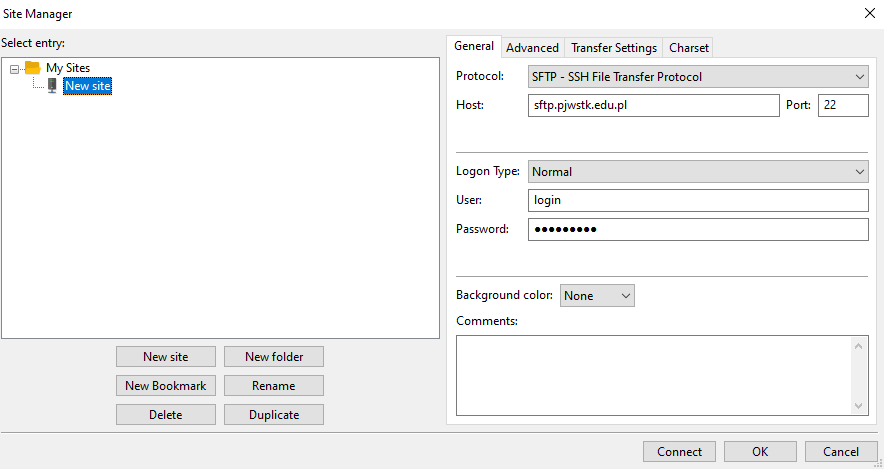
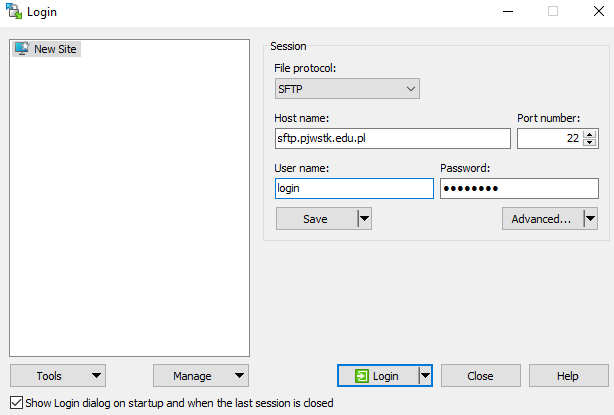
Use the following parameters to connect.
Connection Details
- Host name:
sftp.pjwstk.edu.pl - Protocol: SFTP – SSH File Transfer Protocol
- Port: 22
- Login: Your academic username (without
@pjwstk.edu.pl) - Password: Your PJWSTK domain password
Browse Structure
After logging in, you will have access to three main directories.
Note: The
wwwfolder content is accessible athttp://users.pjwstk.edu.pl/~username.
Configuration Examples
WinSCP
FileZilla