How to start the ABD machine via Omnissa Horizon
This guide shows how to start the ABD virtual machine via Omnissa Horizon.
Before you start
You need the Omnissa Horizon client installed. If you don’t have it yet, follow the Omnissa Horizon guide.
Starting the ABD machine
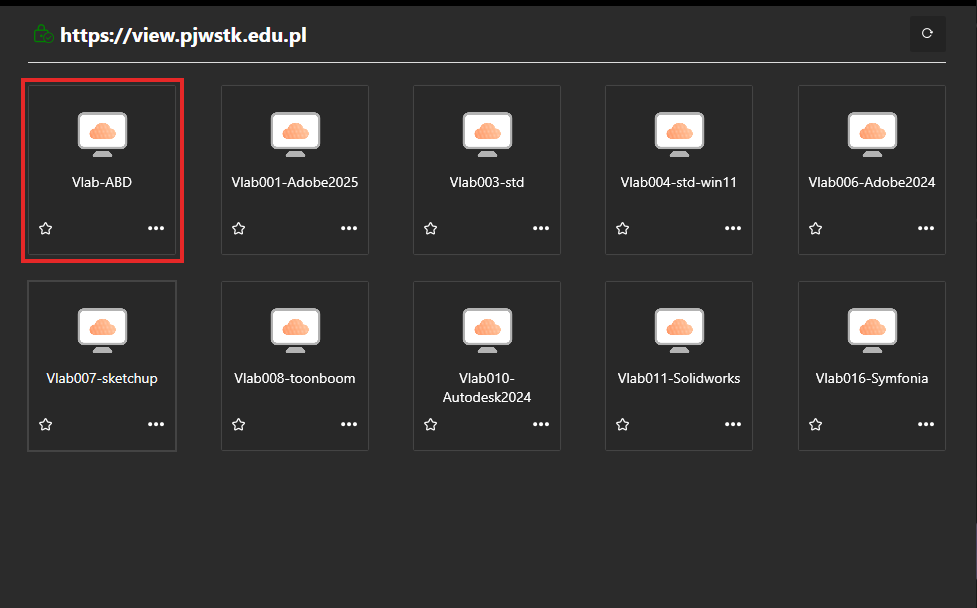
Start the Vlab-ABD machine in Omnissa Horizon
In Omnissa Horizon, connect to the view.pjwstk.edu.pl server and log in with your university account credentials. From the list of available machines, select Vlab-ABD.
Open the X: drive
Open Windows File Explorer and go to the X: drive.
Can’t see the X: drive?
The drive may take a moment to appear after logging in. Wait about 30 seconds and refresh File Explorer (press F5).
Start the virtual machine
On the X: drive, double-click the runme(vlabABDonly).vbs file. The ABD virtual machine will start automatically.