Omnissa Horizon
Introduction
Omnissa Horizon is an advanced virtualization tool, enabling students and university staff to remotely access educational resources. With this platform, you can:
- Use university computer labs from anywhere in the world
- Work with specialized software without installing it on your own computer
- Access the same resources that are available in university classrooms
- Continue your work from any device, knowing that all your files are secure
The only requirement is internet access and the installed Omnissa Horizon client on your device.
Access & Installation
To use Omnissa Horizon, download the client from:
- Official Omnissa website — latest version for all systems
- Tested version for Windows — recommended for most users
Install the Client
- Run the downloaded installer.
- Click “Next” on the welcome screen.
- Choose installation location and click “Next”.
- Click “Install”.
- Click “Finish” when complete.
Add Server
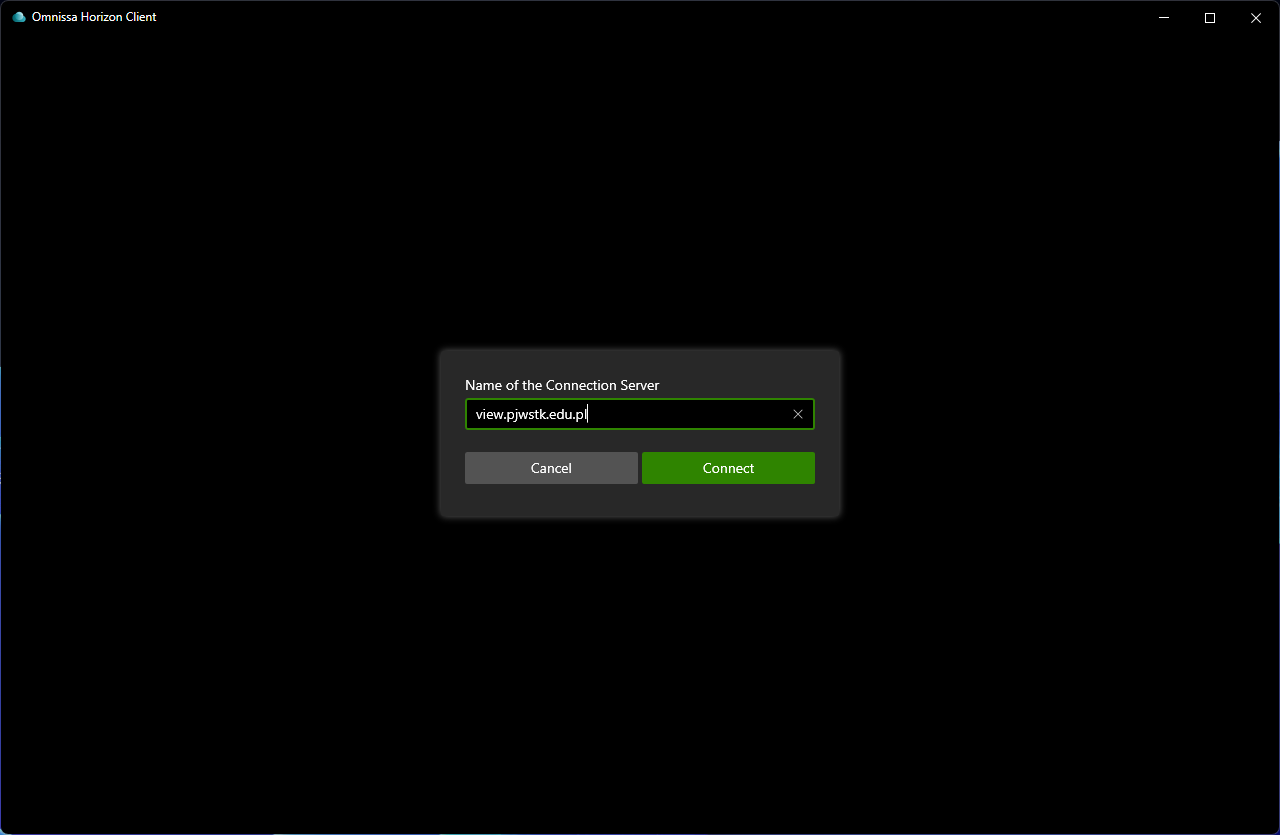
After launching Horizon Client, click “Add Server”.
Login
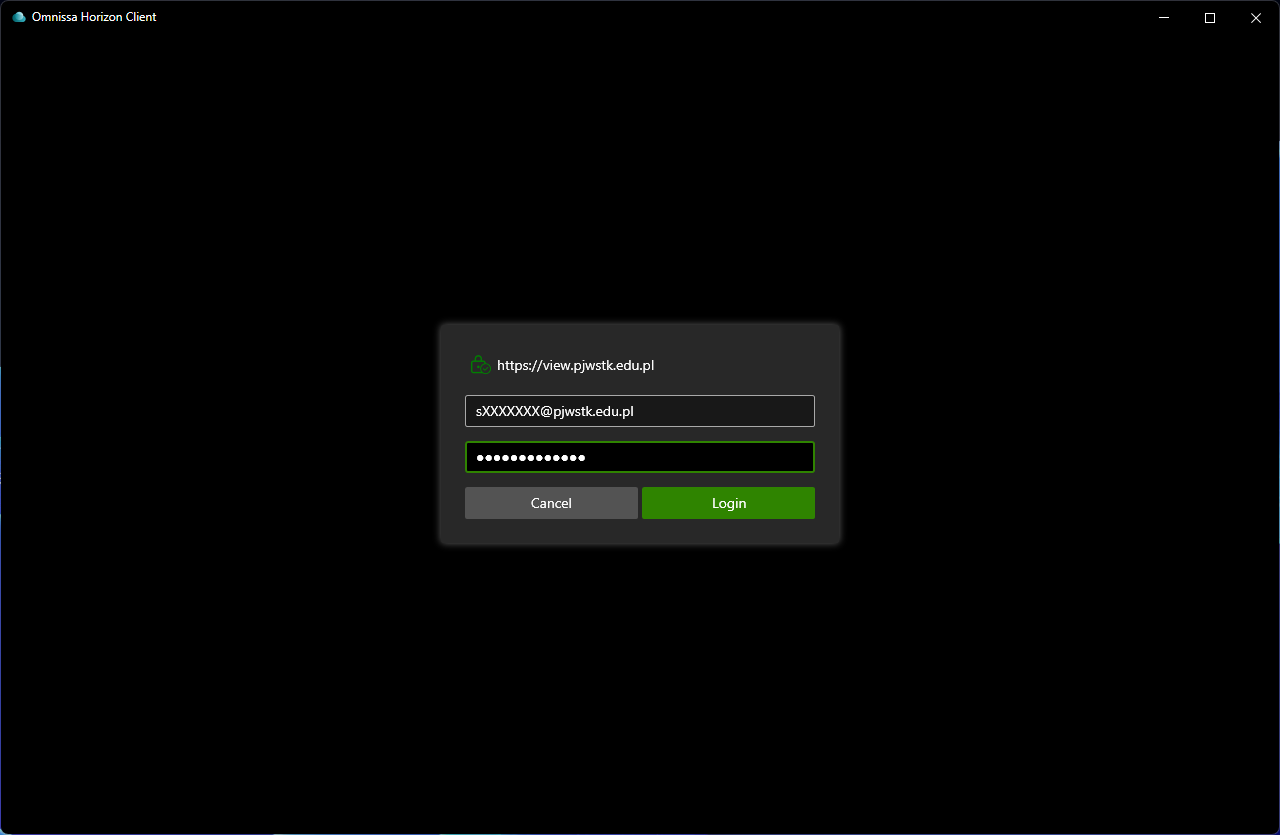
After adding the server view.pjwstk.edu.pl, log in using your university account credentials.
Access Resources
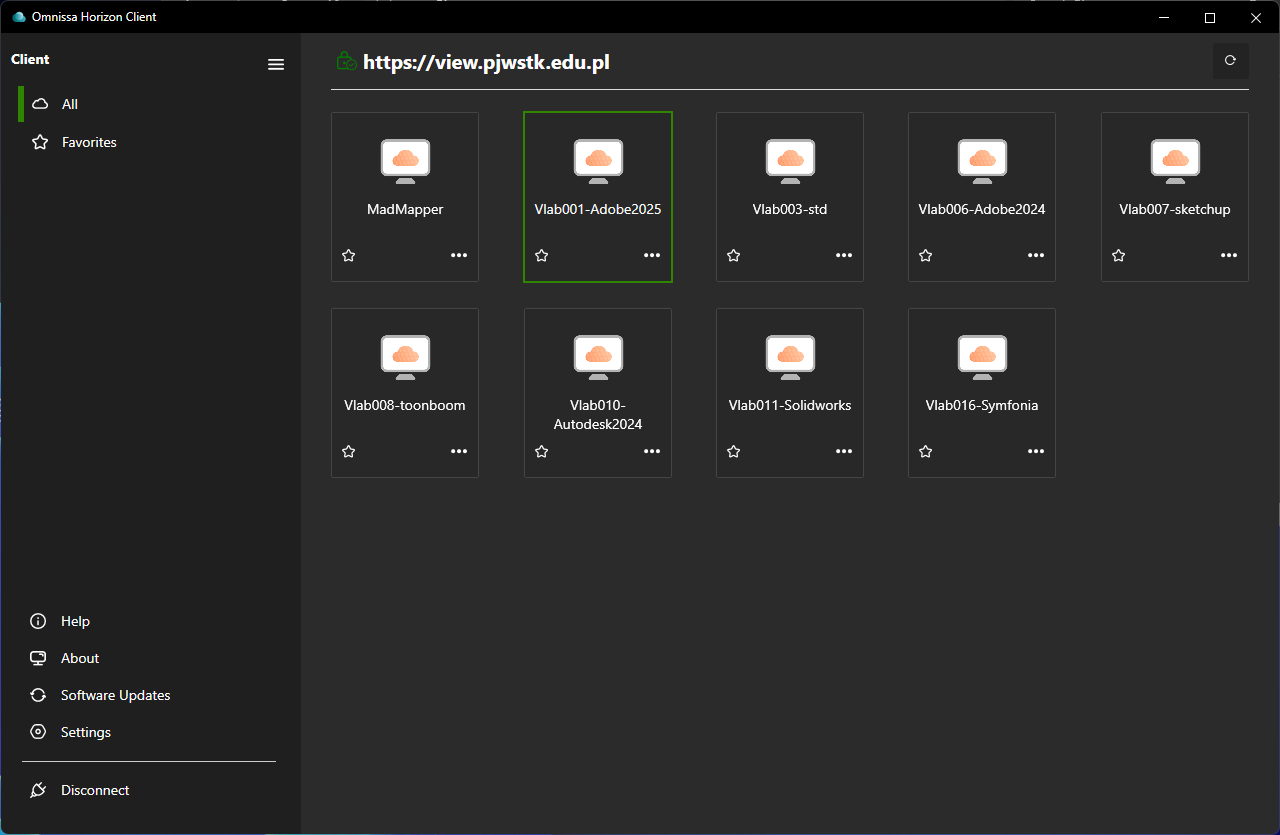
You will see all available university resources grouped into categories.
Share Local Folders (Optional)
To exchange files between your computer and the virtual machine:
- Go to “Settings” -> “Sharing”.
- Check “Enable Shared Folders”.
- Click “Add” and select your local folder (e.g.,
C:\Users\[username]). - Click “OK”.
Your local drive will appear as a network drive inside the virtual machine.


Resources
Troubleshooting
Connection Problems
- Check your internet connection
- Make sure the server address is correct:
view.pjwstk.edu.pl - Verify the correctness of your login credentials
Performance Issues
- Close unused applications on your local computer
- Connect to a stable internet connection (wired connection preferred)
- In the client settings, reduce image quality for slower connections
Problems with Folder Sharing
- Make sure the folder sharing option is enabled
- Check if you have appropriate permissions for the shared folders
- Restart the virtual machine after configuring sharing
Summary
Omnissa Horizon allows you to use laboratories and specialized software from anywhere, working with the same settings as in the university classrooms. It significantly facilitates learning and work, especially when you need access to specialized software outside the university.