DataGrip for MSSQL on Linux
Prerequisites
Requirements
- DataGrip installed.
- Active connection to VPN or campus network.
- Driver: This guide uses the
jTDSdriver.
Configuration
Data Source
- Go to File > Data Sources and Drivers (or
Ctrl + Alt + Shift + S). - Click + > Microsoft SQL Server.
Connection Details
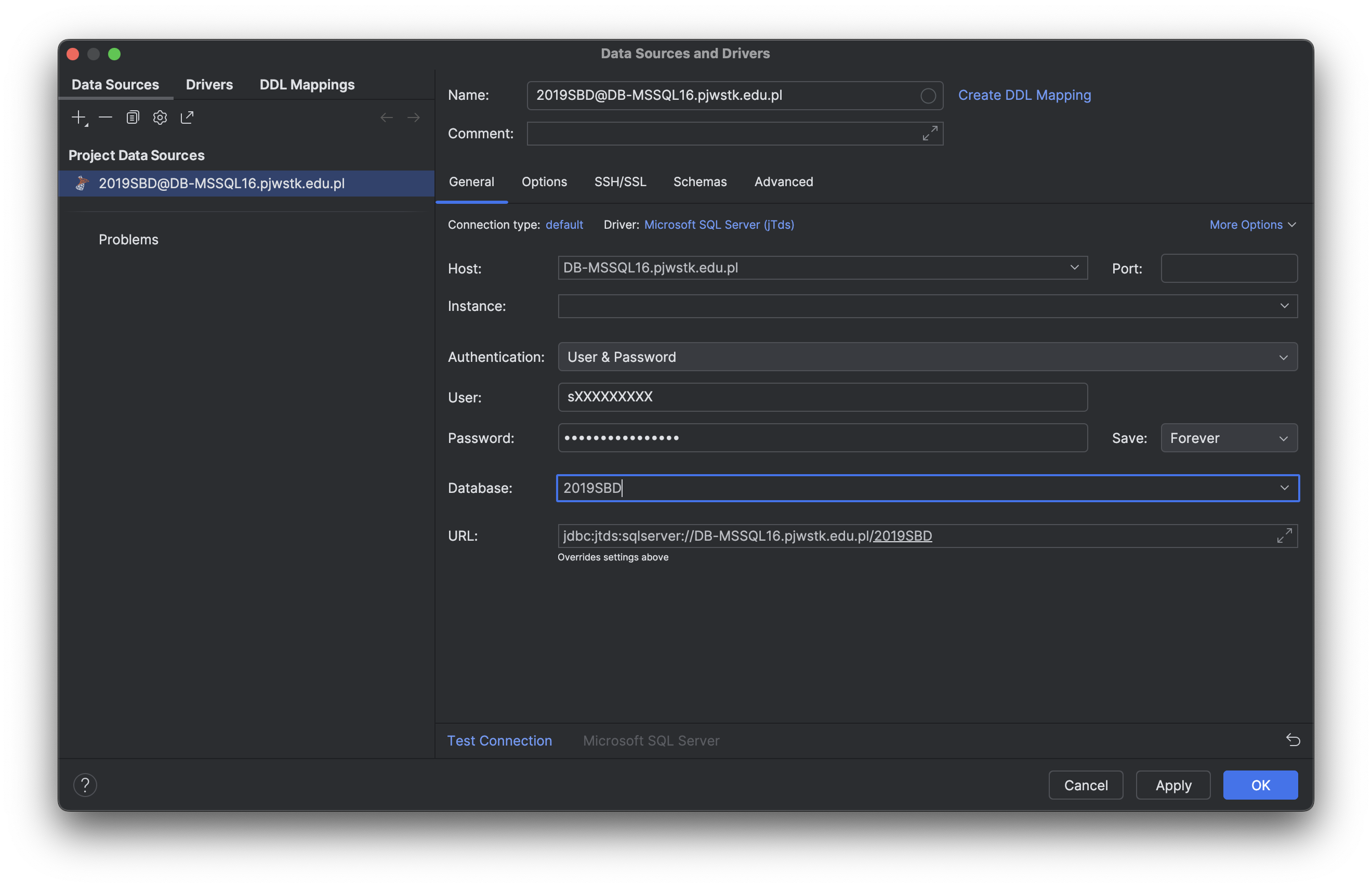
Set the Driver to Microsoft SQL Server (jTDS). Fill in:
| Field | Value |
|---|---|
| Host | DB-MSSQL16.pjwstk.edu.pl |
| Port | 1433 |
| Authentication | User & Password |
| Database | 2019SBD |
| User | sXXXXXXXX (ID only) |
| Password | Your student password |
Advanced Settings
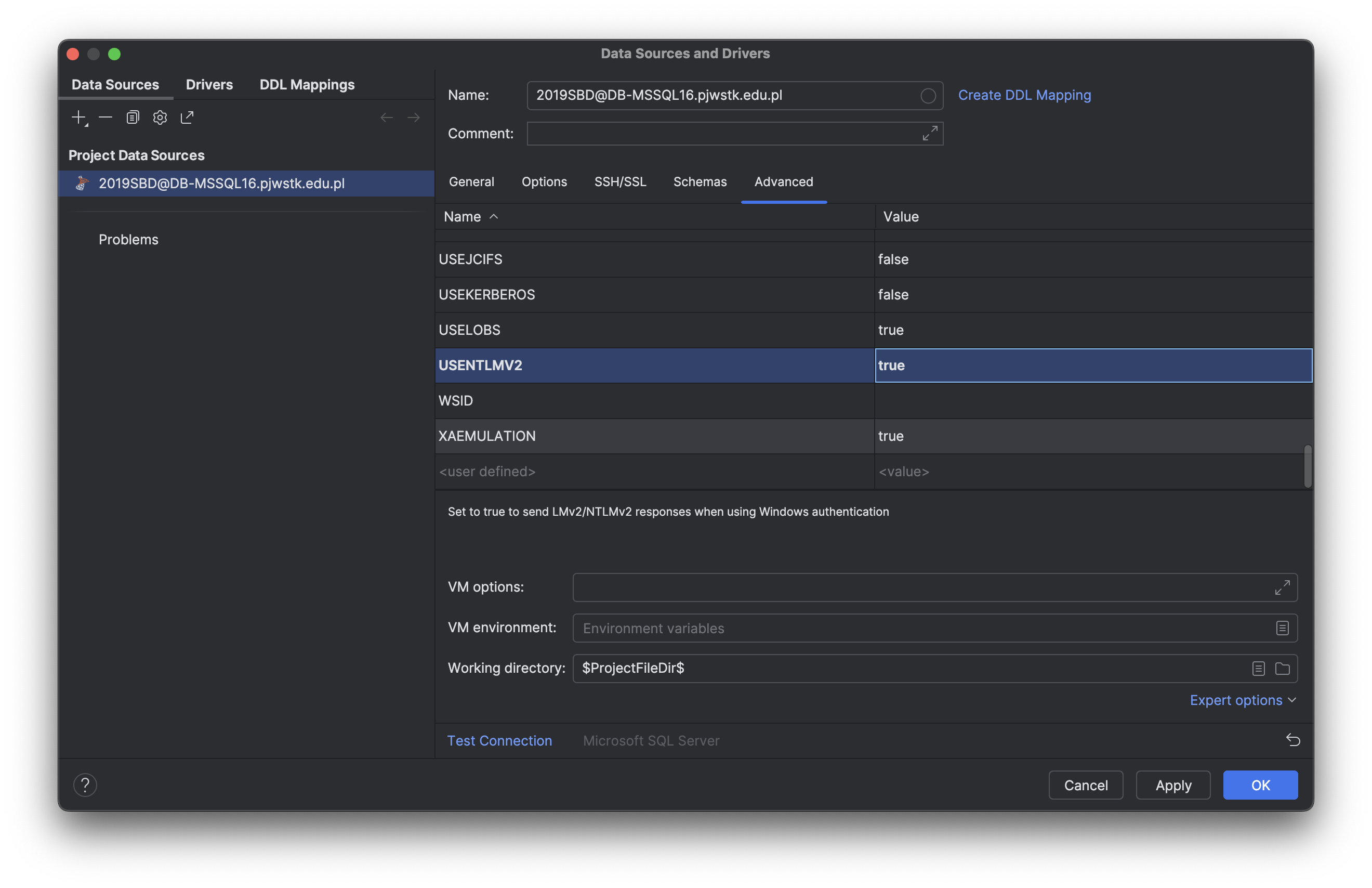
Go to the Advanced tab and set:
USENTLMV2:trueDOMAIN:PJWSTK
Test
Click Test Connection. On success, click OK.